

Heads up
- Auto-added subtasks are off unless you chose them. Jensi no longer adds a suggested subtask to a task without a person approving it. If an admin in your workspace switched this on, it stays on. To turn it on, use "Auto-add suggested subtasks" in Settings, under Intelligence.
- Personal access tokens are no longer issued. Connect AI tools with OAuth from Settings, under Connect AI tools. Tokens you already have keep working until you revoke them or they expire.
Two-way Jira sync
If your client runs the work in Jira, you no longer copy it across by hand. Link a Jensi project to a Jira Cloud project from project home, under Connections. A five-step sheet walks you through the site, the project, how statuses match, and who is who. Jira issues then import as tasks and stay in sync both ways.
Each synced task shows a Jira key chip with its sync state. If the same field changes on both sides, task detail shows the conflict so you can pick which value to keep.
This week the sync also gained:
- Comments. Jira comments appear on the task. To send a Jensi comment to Jira, switch on "Also post to Jira" in the composer. It is off by default.
- Attachments. Files and screenshots added in Jira are copied into Jensi. Files over 25 MB are skipped.
- Estimate and start date. Both now sync in both directions, like the due date. A per-day estimate stays in Jensi and is not sent to Jira.
You can link up to five projects per Jira site. See how Jensi and Jira work together on Jensi and Jira.
Briefings stop repeating themselves
Your briefing used to list the same overdue task every morning until someone closed it. Now an item comes back only when something changed: its status, its due date, its priority or health, or its assignee. An item that stays unchanged comes back after 7 quiet days, so it is not forgotten.
Connect Slack and Teams from project home
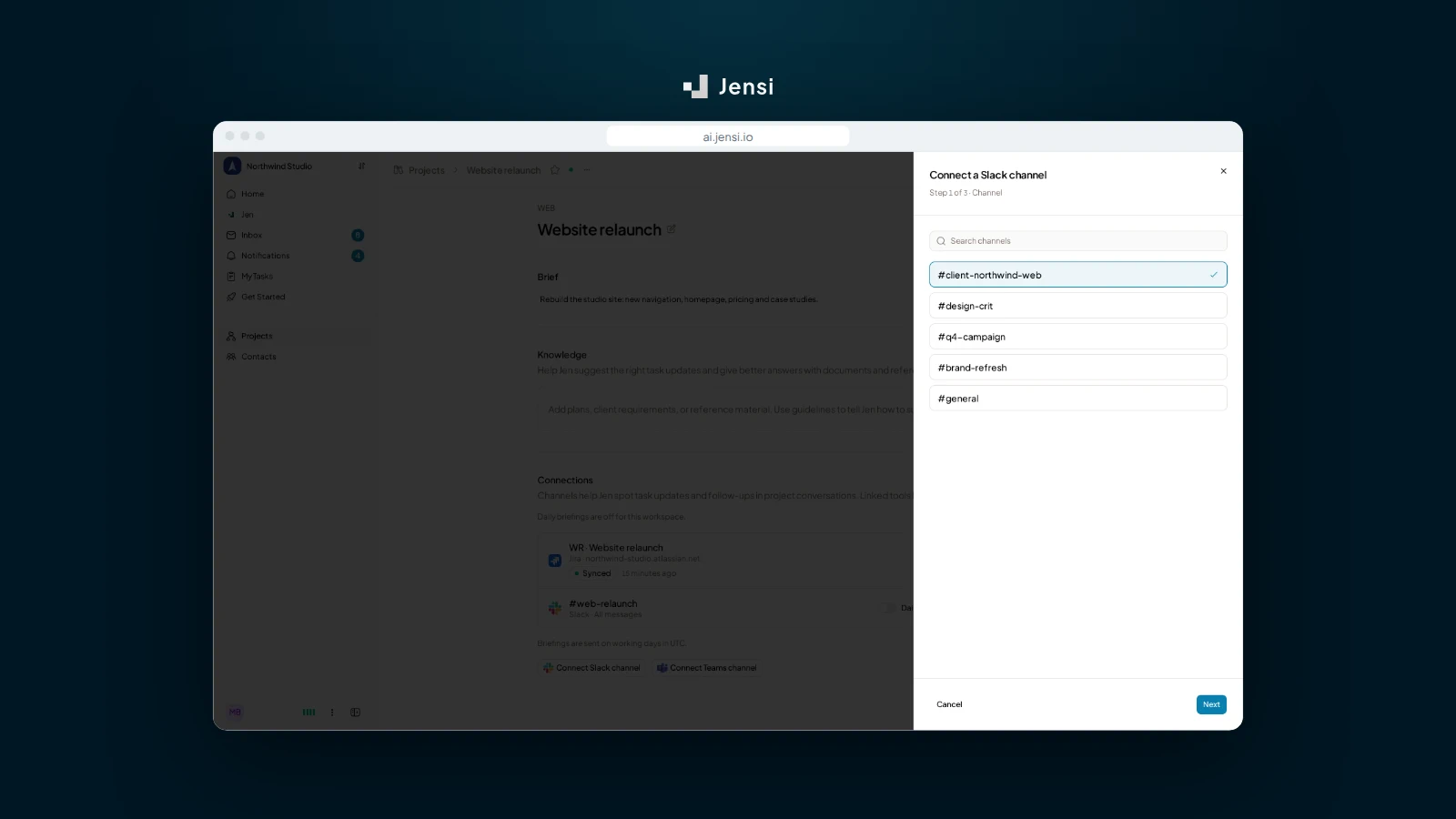
Slack and Teams channels now connect from project home, in the same kind of step sheet as Jira. Project admins and org admins can link a channel, edit it, pause it, unlink it with Undo, or retry when the bot could not join. Read how Jensi reviews Slack requests.
Improvements
- Inbox: Images under 5 KB, such as signature logos and tracking pixels, no longer come in as attachments from email or Slack.
- Inbox: Mail sent through a Google Group now becomes a suggestion, and filters judge the real author, not the group.
- Sidebar: The sidebar stays collapsed after a reload if you collapsed it.
- Tasks: Column pickers in task detail, subtasks, the table, new task and the inbox share one dropdown with the column colour and name.
- Calendar: A task with only one date now shows on the project calendar on that day.
Fixes
- Projects: Fixed removed members still seeing a project.
- Projects: Fixed starring a shared project you are not a member of.
- Inbox: Fixed the project picker missing projects past the first 100.
- Inbox: Fixed the inbox reloading in full each time you read a suggestion.
- Settings: Fixed profile picture uploads that failed with an error.
- Board: Fixed long task titles with no spaces running out of the card.
Send feedback or a feature request to hello@jensi.io.